【Photoshop】パッチツールができない時の対処法【新人デザイナー向け】
Creative21
NexOut
Photoshopでオーバーレイができない。
どうやってオーバーレイにするのか忘れてしまった。
こういった疑問に答えるよ!
デザイナーの@Naoyaです。
目次

オーバーレイにする流れはこんな感じ。
順番に見て行こう!


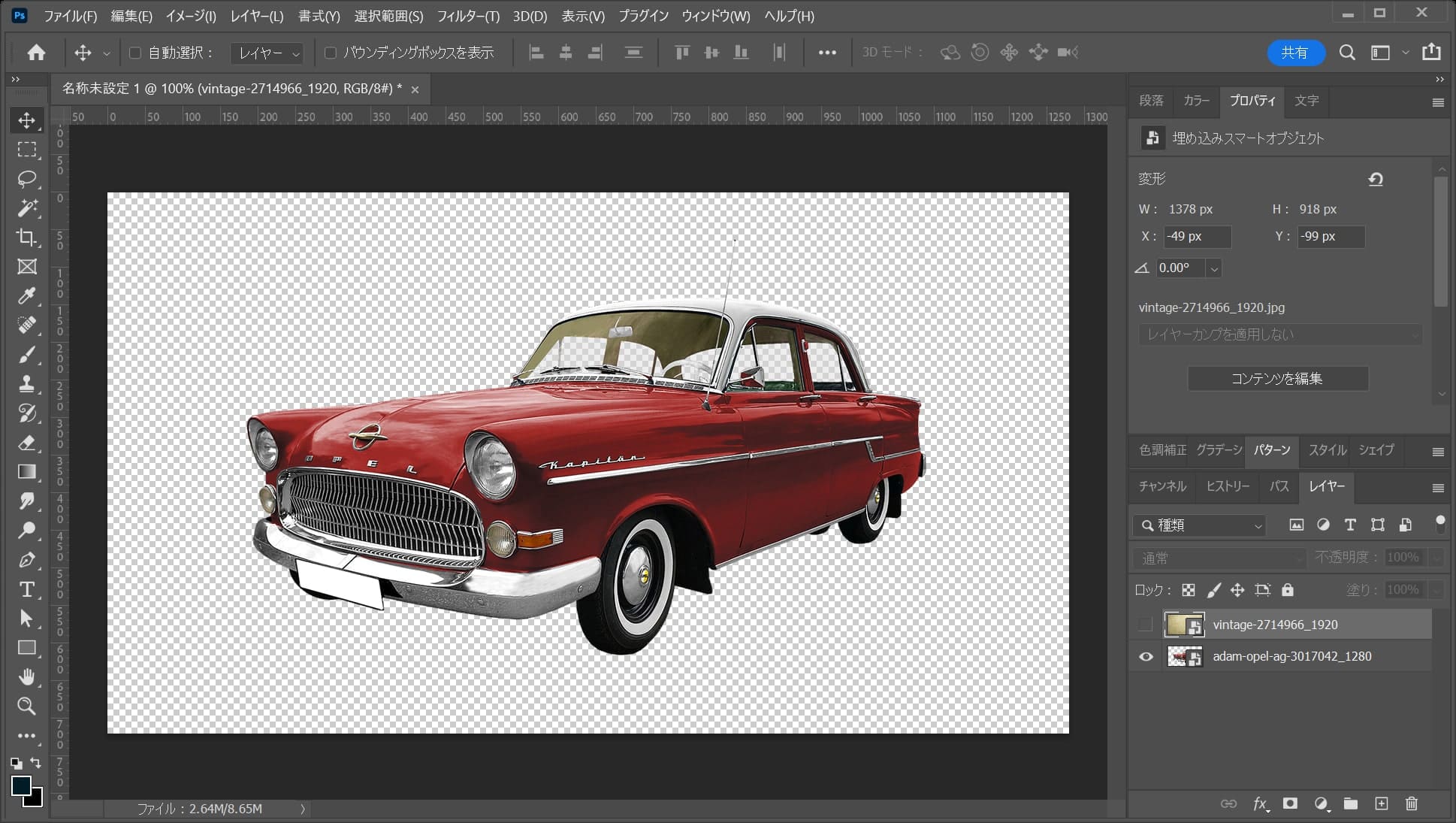
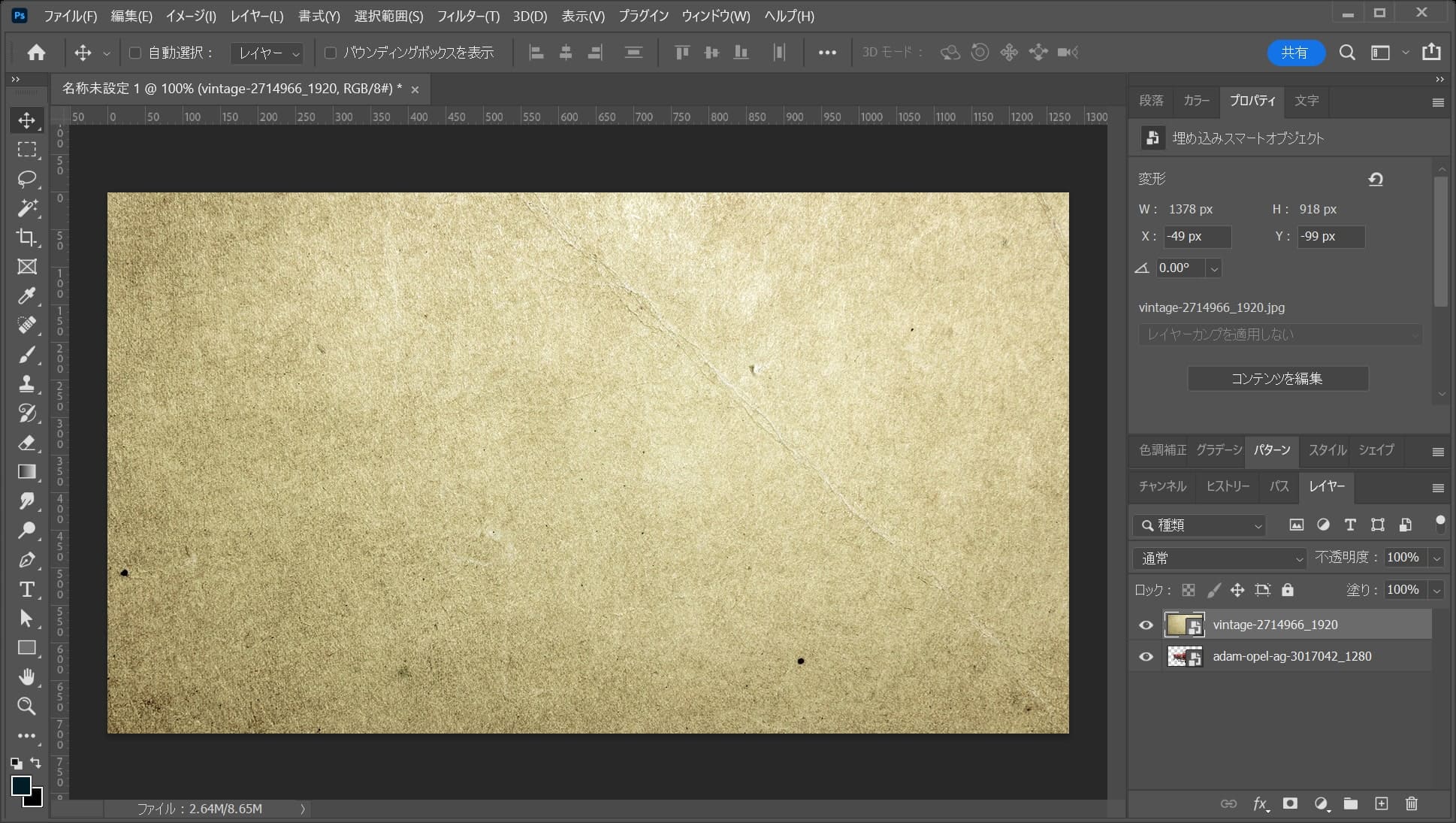
ここでははこんな感じのレイヤーを使って、紙のレイヤーをオーバーレイにするよ!
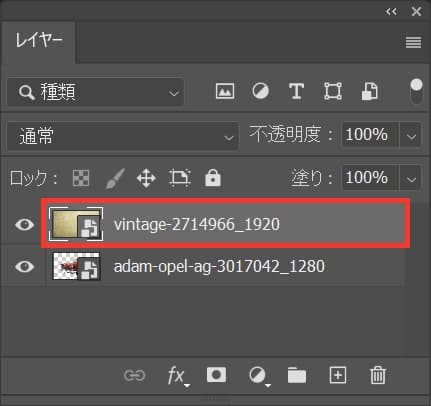
オーバーレイにしたいレイヤーを選択!
レイヤーが表示されていない場合はメニューバーの「ウィンドウ」→「レイヤー」を選択!
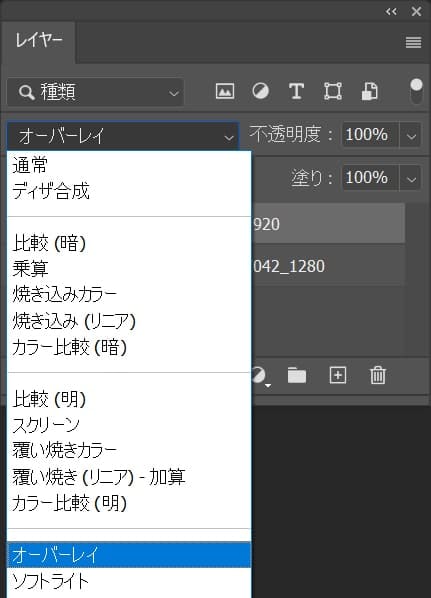
描画モードを「オーバーレイ」に変更!
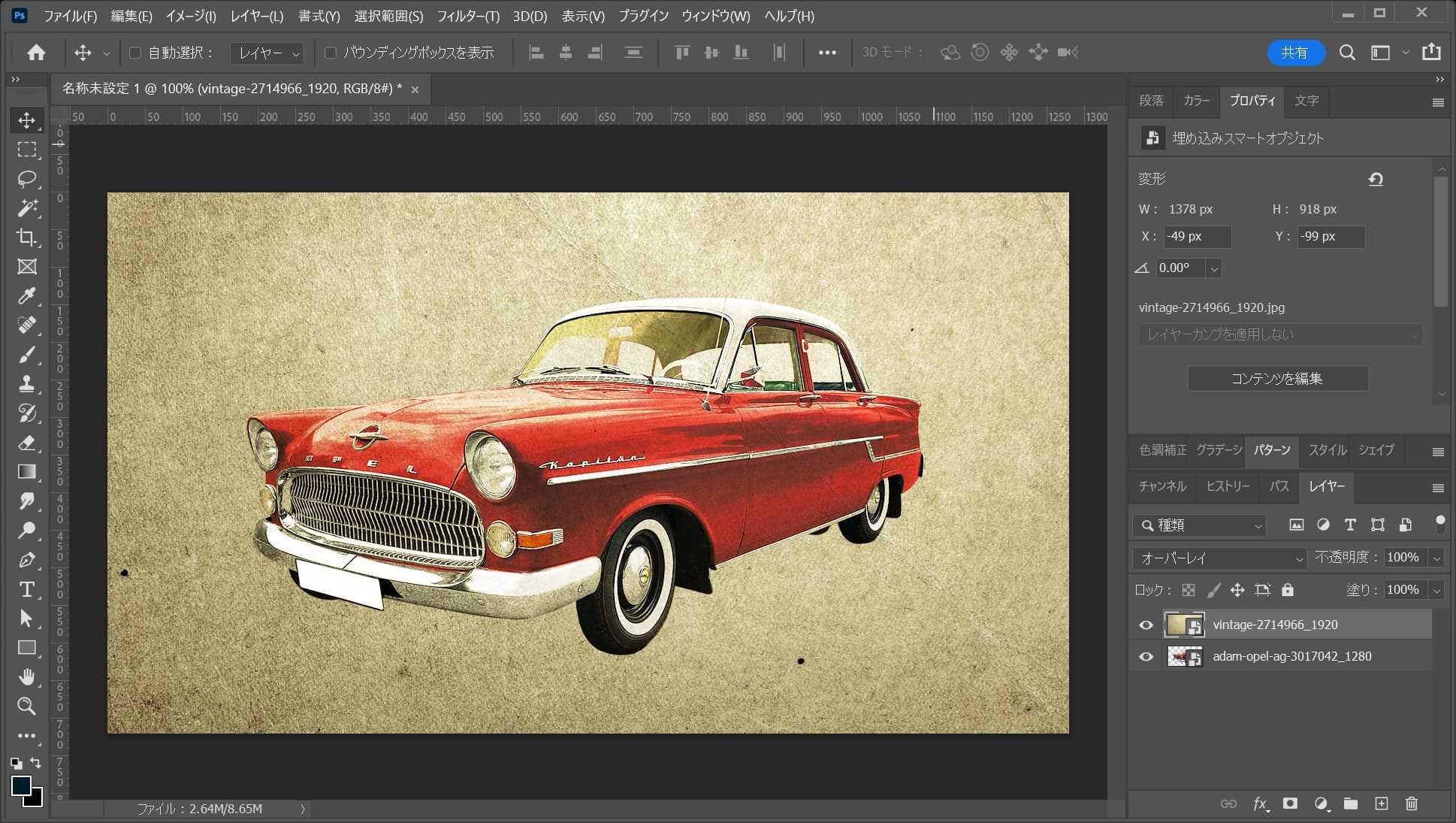
これでオーバーレイにできたね!


Glad to be one of the visitants on this awesome site : D.
https://www.askthewealthsquad.com/blog/
Would love to forever get updated outstanding web blog! .
https://www.icloudbypassonline.com/blog/about.html
Hello my family member! I wish to say that this article is awesome, nice written and include approximately all vital infos. I would like to peer more posts like this.
https://youtu.be/J9DL4gNfwMI
Wonderful paintings! That is the kind of information that should be shared around the net. Disgrace on Google for not positioning this post upper! Come on over and talk over with my website . Thanks =)
https://agen008.com/mpo500/
I like what you guys are up too. Such clever work and reporting! Keep up the superb works guys I have incorporated you guys to my blogroll. I think it’ll improve the value of my web site 🙂
https://youtu.be/4lxyRBp_6ks
I really appreciate this post. I¦ve been looking everywhere for this! Thank goodness I found it on Bing. You’ve made my day! Thanks again
https://thenoblehackers.com/