CanNot

【Photoshop】パスを選択範囲にできない時の対処法【新人デザイナー向け】

Creative21

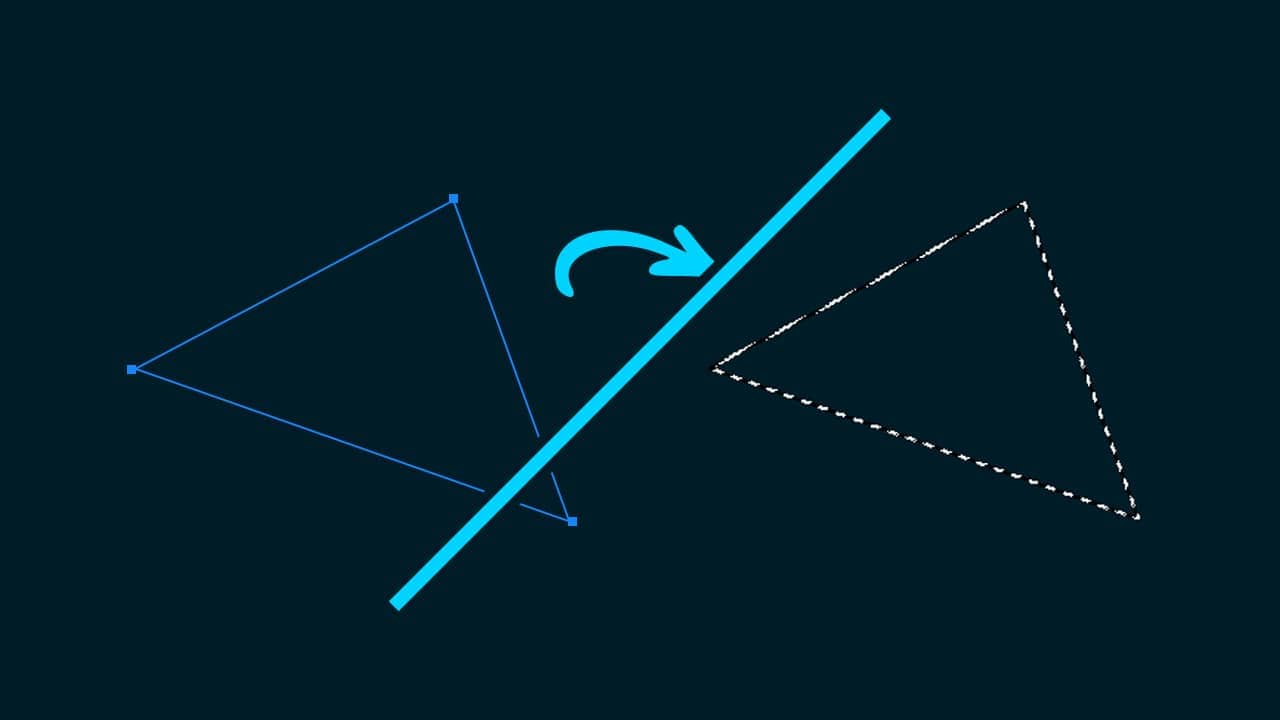
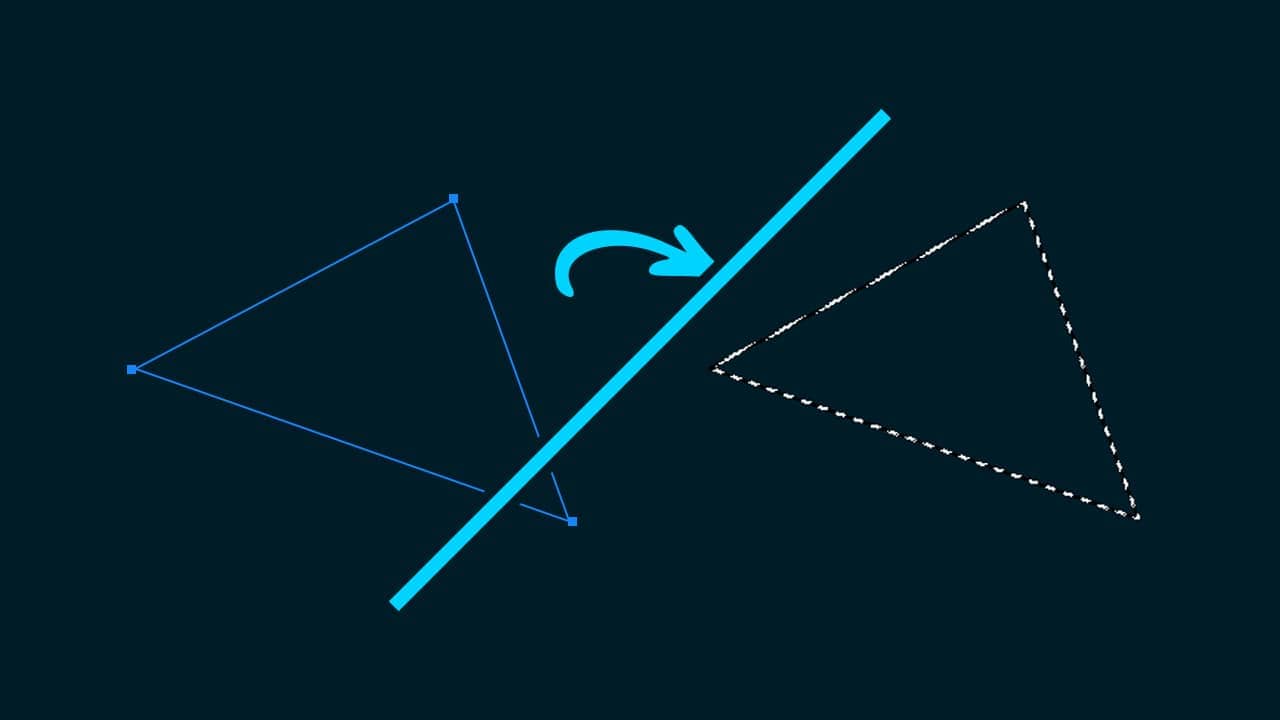
Photoshopでパスを選択範囲にできない。
どうやってパスを選択範囲にするのか分からない。

こういった疑問に答えるよ!
Naoya
Naoya
やぁ!みんな!元気?

デザイナーの@Naoyaです。

Youtube

目次

  • Photoshopでパスを選択範囲にできない時の対処法

Photoshopでパスを選択範囲にできない時の対処法

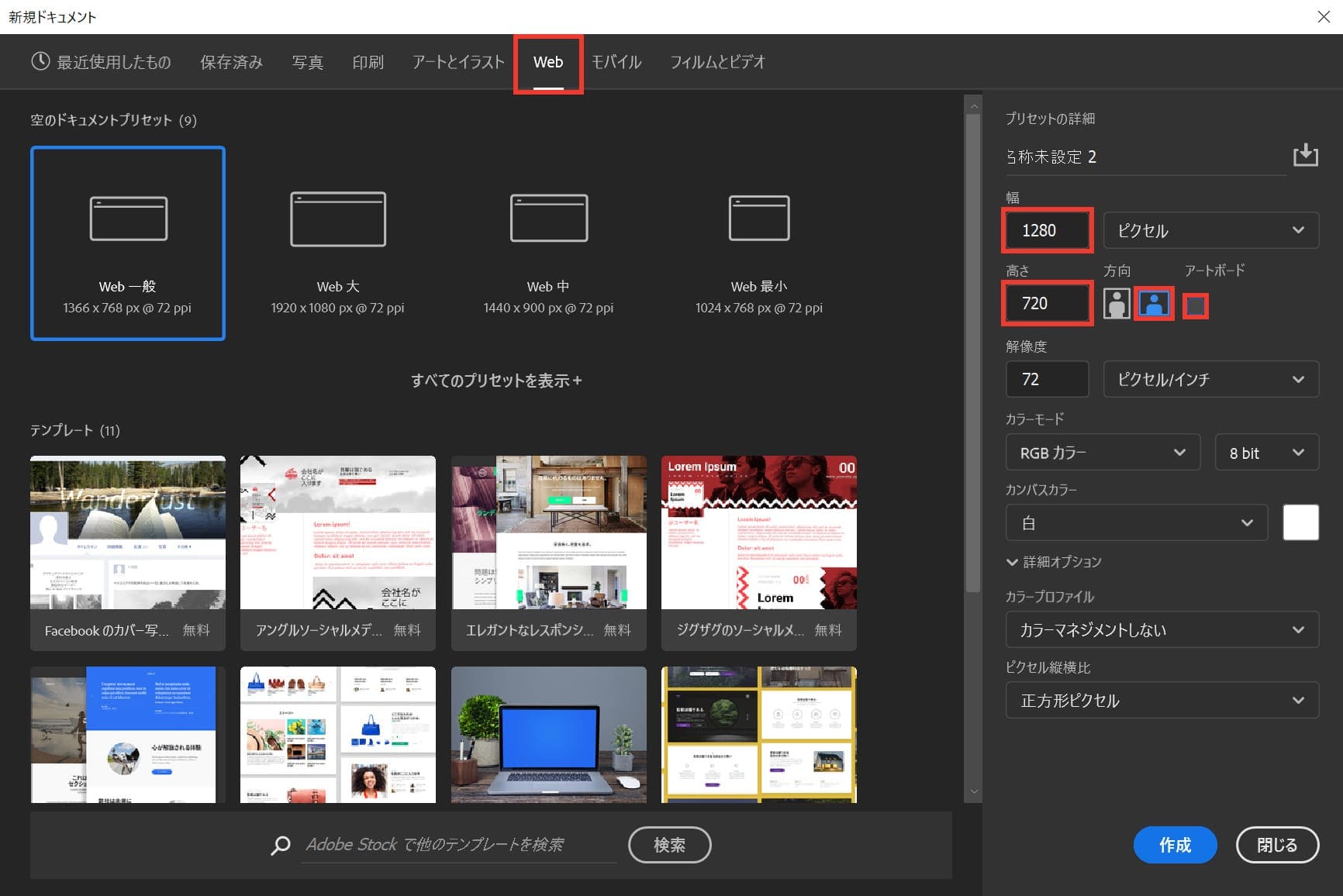
ドキュメントを作成する

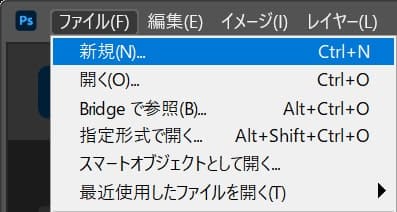
メニューバーの「ファイル」→「新規」を選択!

新規ドキュメントのショートカット

  • Mac=Command+N
  • Windows=Ctrl+N

新規ドキュメントのショートカットはこんな感じ。

今回はWebを選択して、サイズを幅1280px、高さ720px、方向を横、アートボードのチェックを外そう!
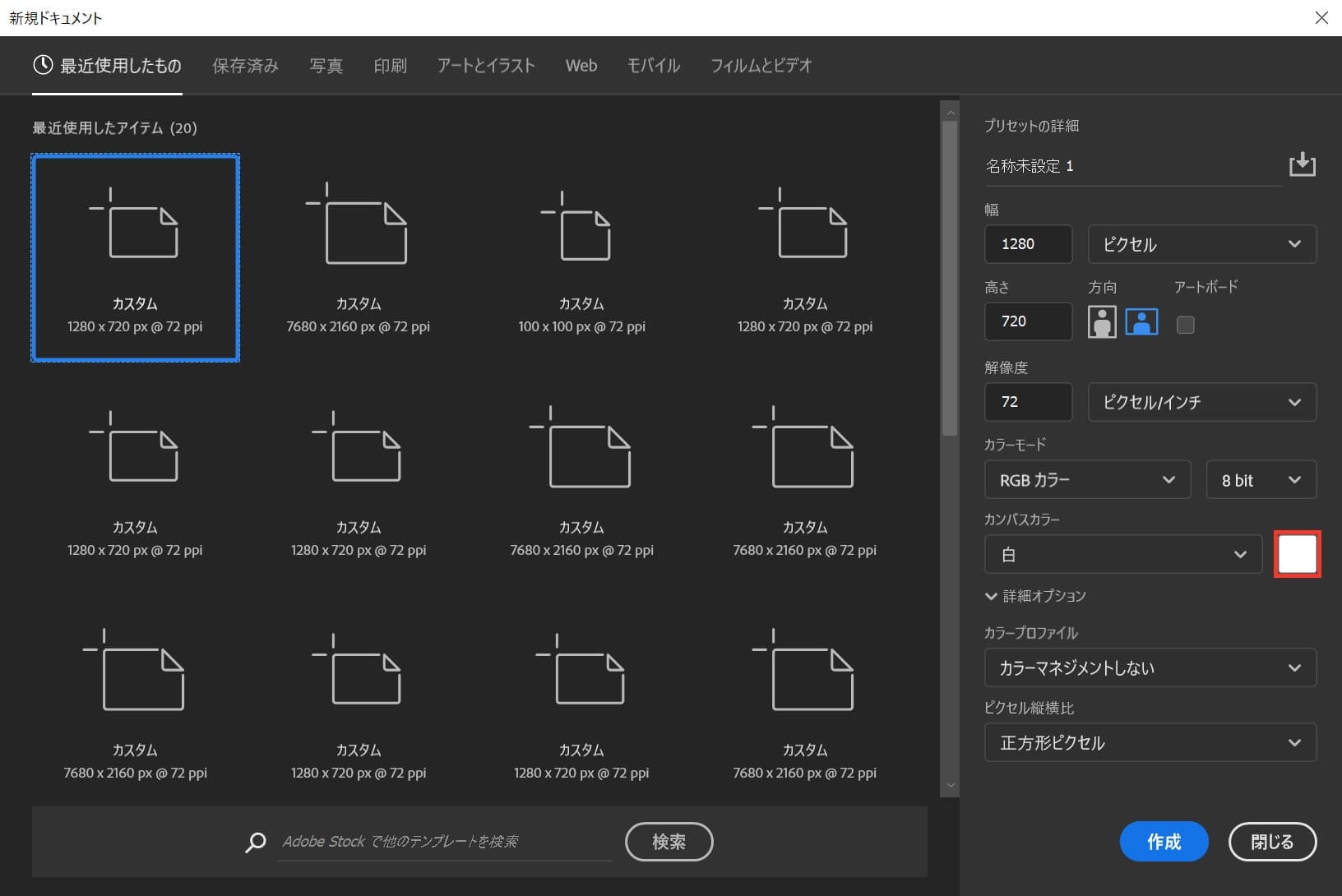
カンバスカラーを選択!
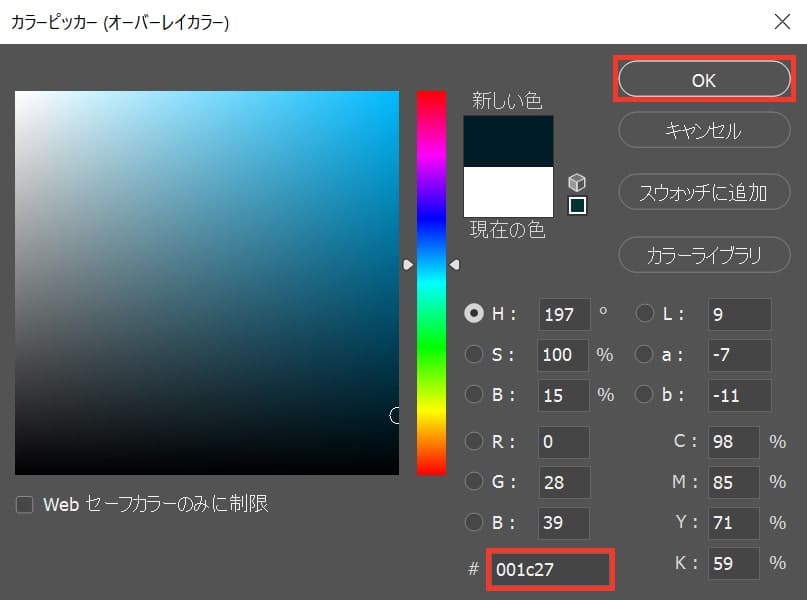
好きな色を選択、ここでは「#001c27」としてOK!
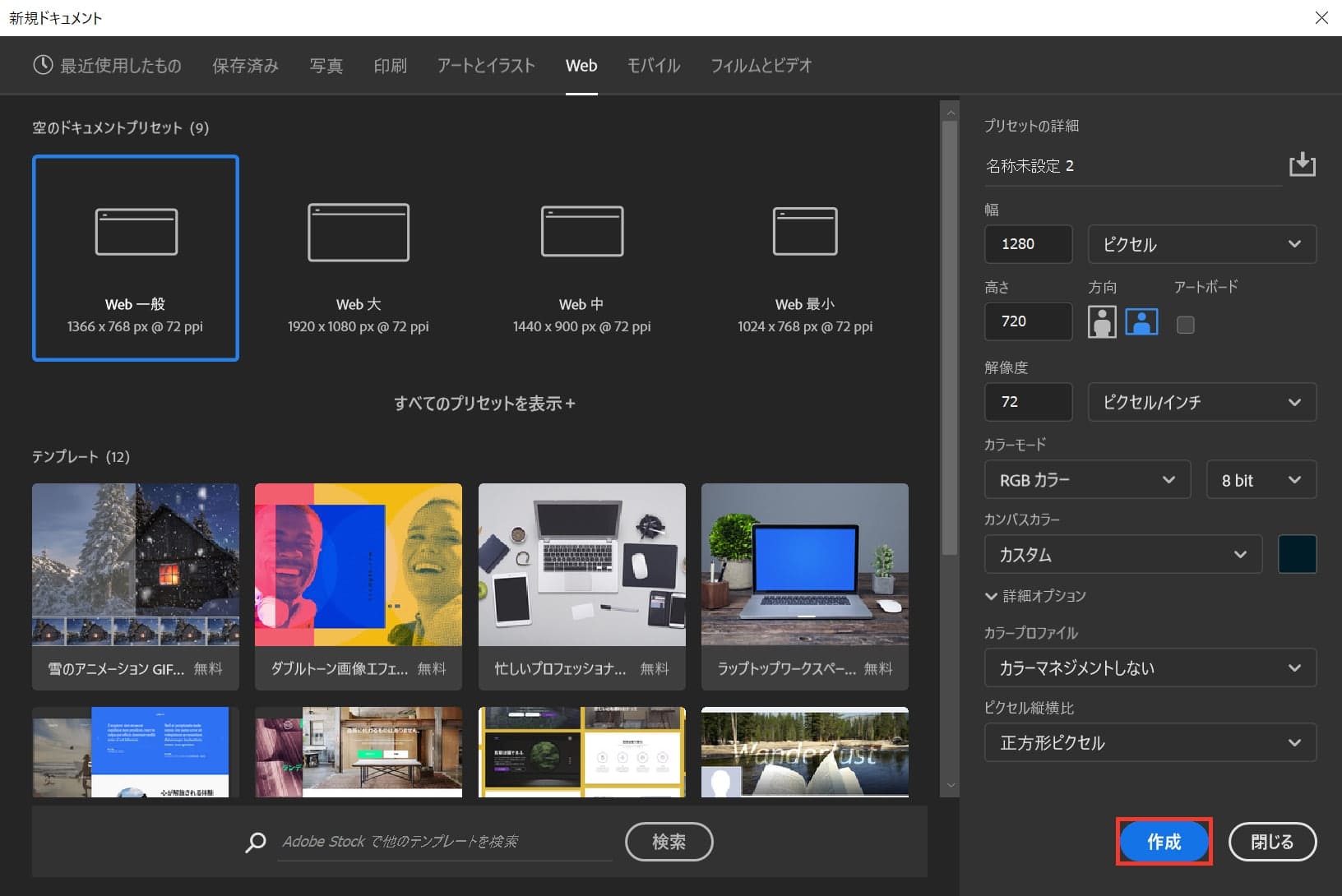
作成!
これでドキュメントを作ることができたね!

パスを作成する

続いてパスを作成するよ!

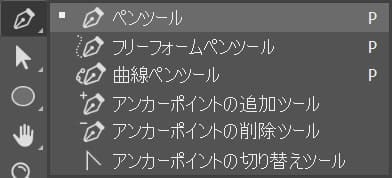
まずはツールバーのペンツールを選択!

ペンツールのショートカット

  • P

ペンツールのショートカットはこんな感じ。

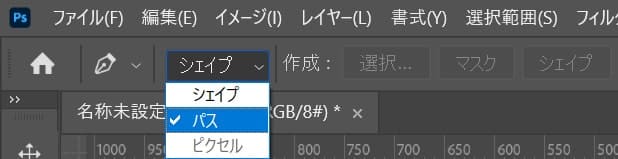
オプションバーから「パス」を選択!
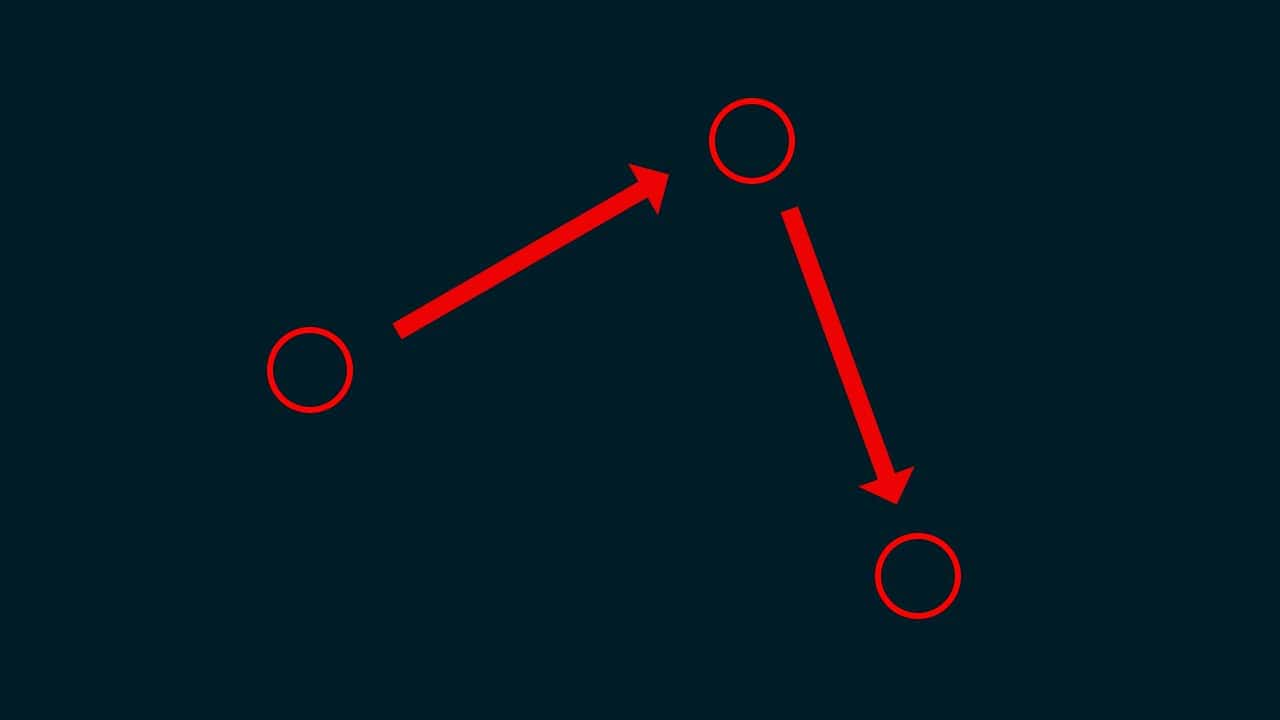
ドキュメント上で好きな形を作るよ、ここでは三角形を作るので、三点をクリック!
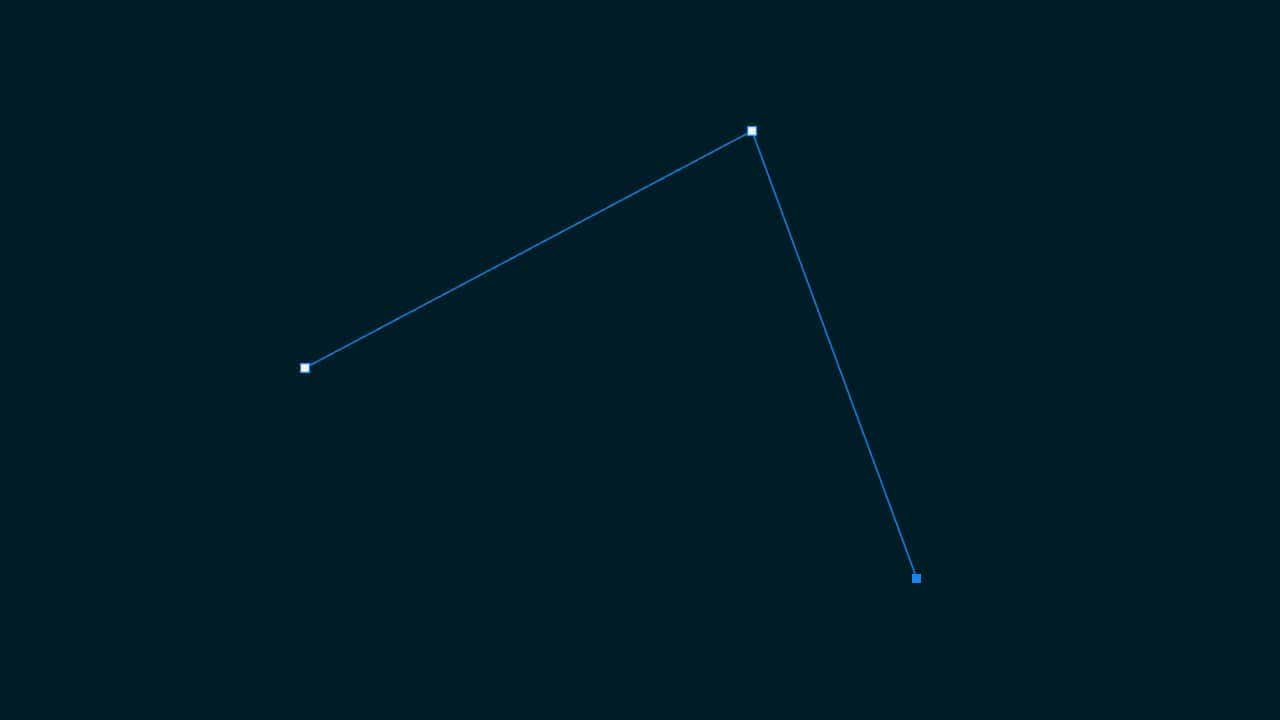
こんな感じになったね!
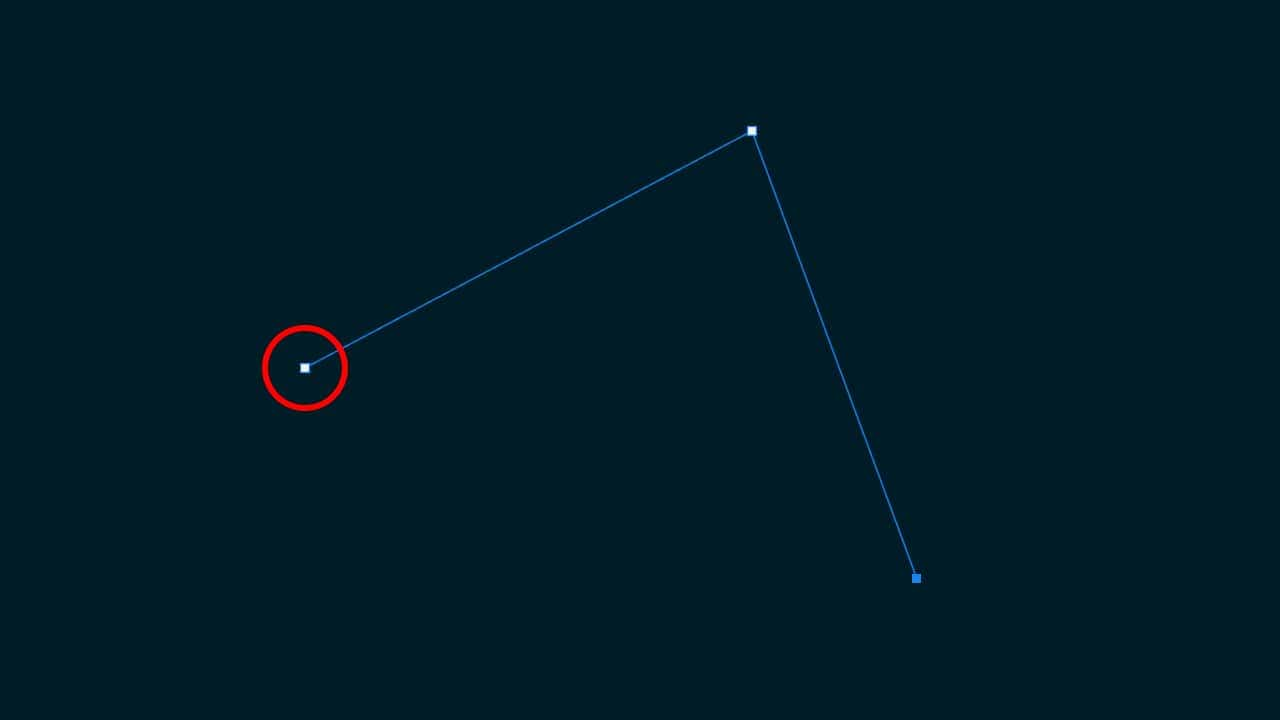
最後に最初に打ったアンカーをもう一度クリック!

こんな感じでパスが閉じたね!

パスから選択範囲を作成する

続いてパスから選択範囲を作成するよ!

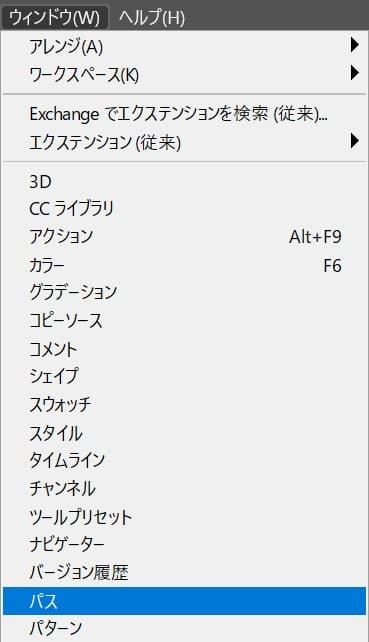
メニューバーの「ウィンドウ」→「パス」を選択!
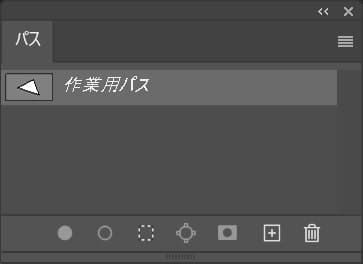
パスが表示されたね!
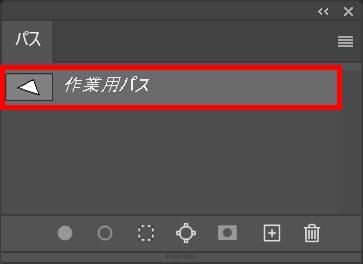
選択範囲を作成したいパスを選択!
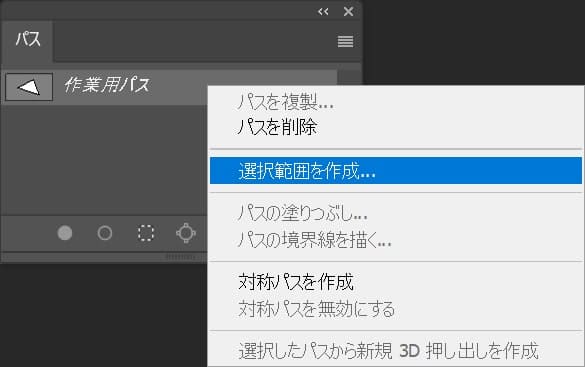
続いて、右クリック後「選択範囲を作成」を選択!
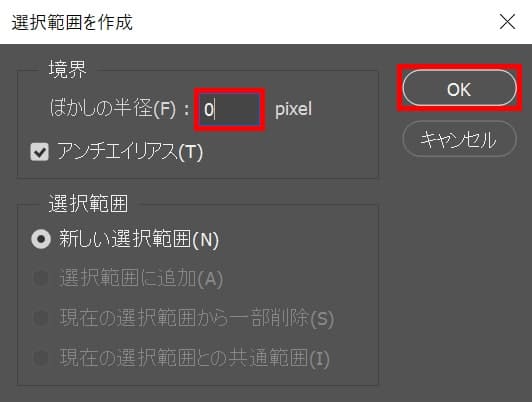
ぼかしの半径を入力してOKを選択、ここではぼかしの半径は「0」としてOK!
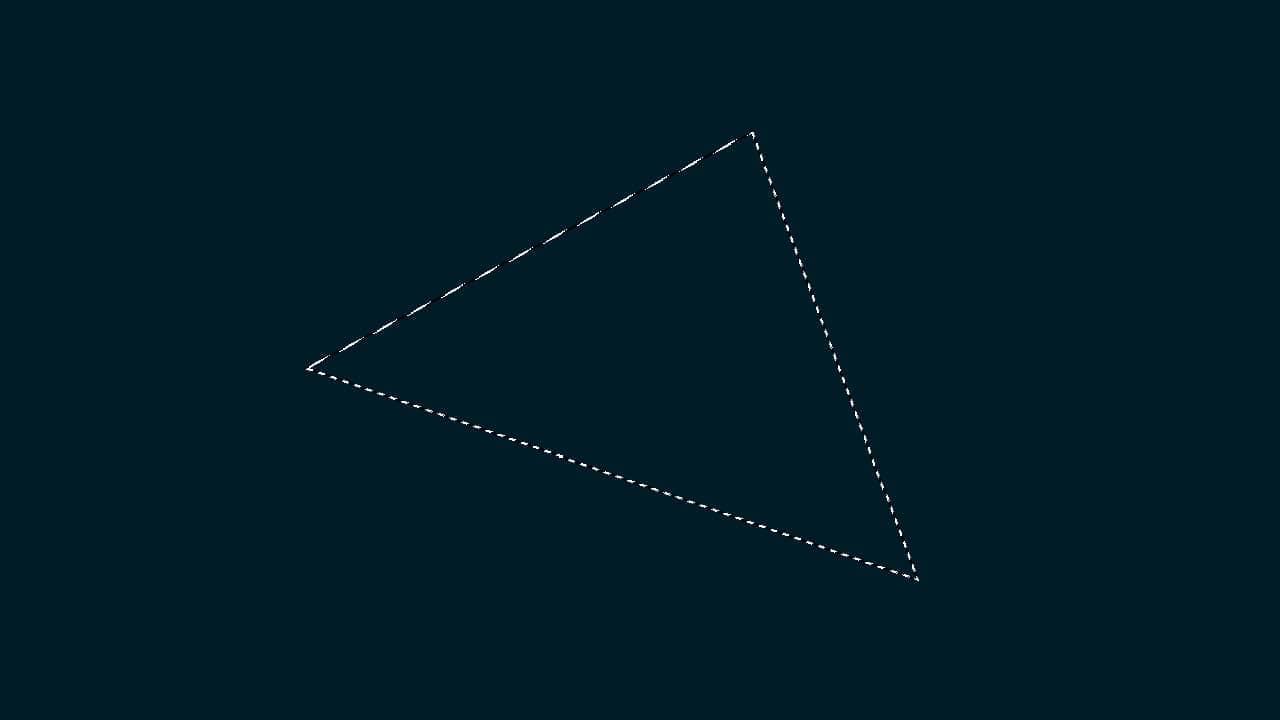
これでパスから選択範囲を作成できたね!


メールアドレスが公開されることはありません。 が付いている欄は必須項目です

  1. Prostadine

    You actually make it seem so easy with your presentation however I in finding this matter to be actually one thing which I think I might never understand. It seems too complex and extremely wide for me. I am taking a look forward to your next submit, I will attempt to get the hang of it!

    https://youtu.be/wmKpQpvrN2k

  2. the brain song

    I cling on to listening to the news update talk about receiving free online grant applications so I have been looking around for the finest site to get one. Could you advise me please, where could i find some?

    https://youtu.be/7rl4pbqwUms

  3. mpo500

    This design is wicked! You certainly know how to keep a reader entertained. Between your wit and your videos, I was almost moved to start my own blog (well, almost…HaHa!) Great job. I really enjoyed what you had to say, and more than that, how you presented it. Too cool!

    https://agen008.com/mpo500/

  4. prediksi togel

    Whats up this is kinda of off topic but I was wanting to know if blogs use WYSIWYG editors or if you have to manually code with HTML. I’m starting a blog soon but have no coding expertise so I wanted to get advice from someone with experience. Any help would be enormously appreciated!

    https://buildingctgreen.com/

ABOUT ME
Naoya
デジタルアーツ東京→デザインプレックス東京→デザイン制作会社→フリーランス
記事URLをコピーしました