【Photoshop】六角形の作り方【新人デザイナー向け】
Creative21
NexOut
Photoshopの長方形ツールでサイズ指定をして長方形を作成したい。
サイズ指定して長方形を作成する方法が分からない。
こういった疑問に答えるよ!

デザイナーの@Naoyaです。
Youtube
目次


今回はこんな感じのドキュメントを例に進めていくよ!
ドキュメントの作り方がよく分からない人は下の記事を参考にしてみてね!
Photoshopでの長方形のサイズ指定の方法は大きく分けてこんな感じ。
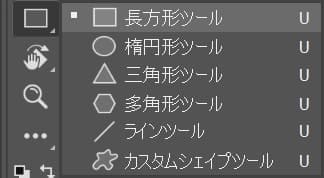
ツールバーから長方形ツールを選択!
長方形ツールのショートカット
長方形ツールのショートカットはこんな感じ。
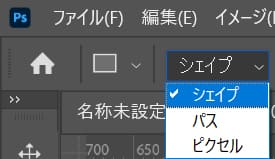
オプションバーからシェイプを選択!

塗りをクリック!
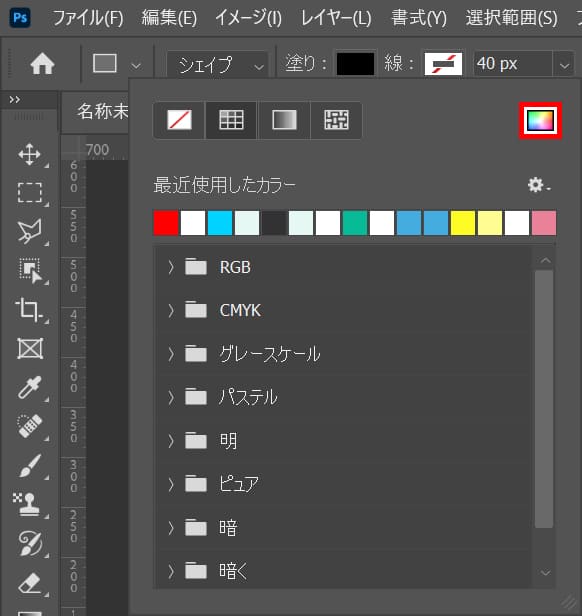
カラーピッカーのアイコンをクリック!
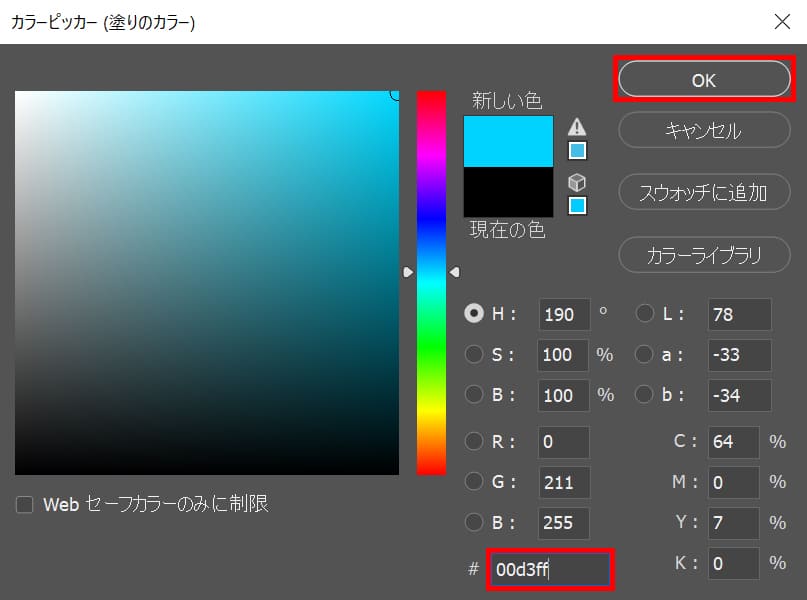
好きな色を選択、ここでは「00d3ff」としてOK!

線をクリック!
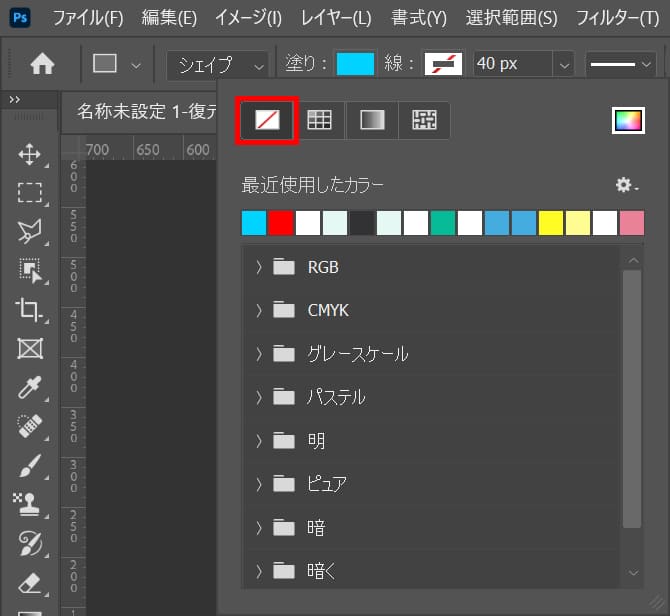
線無を選択!
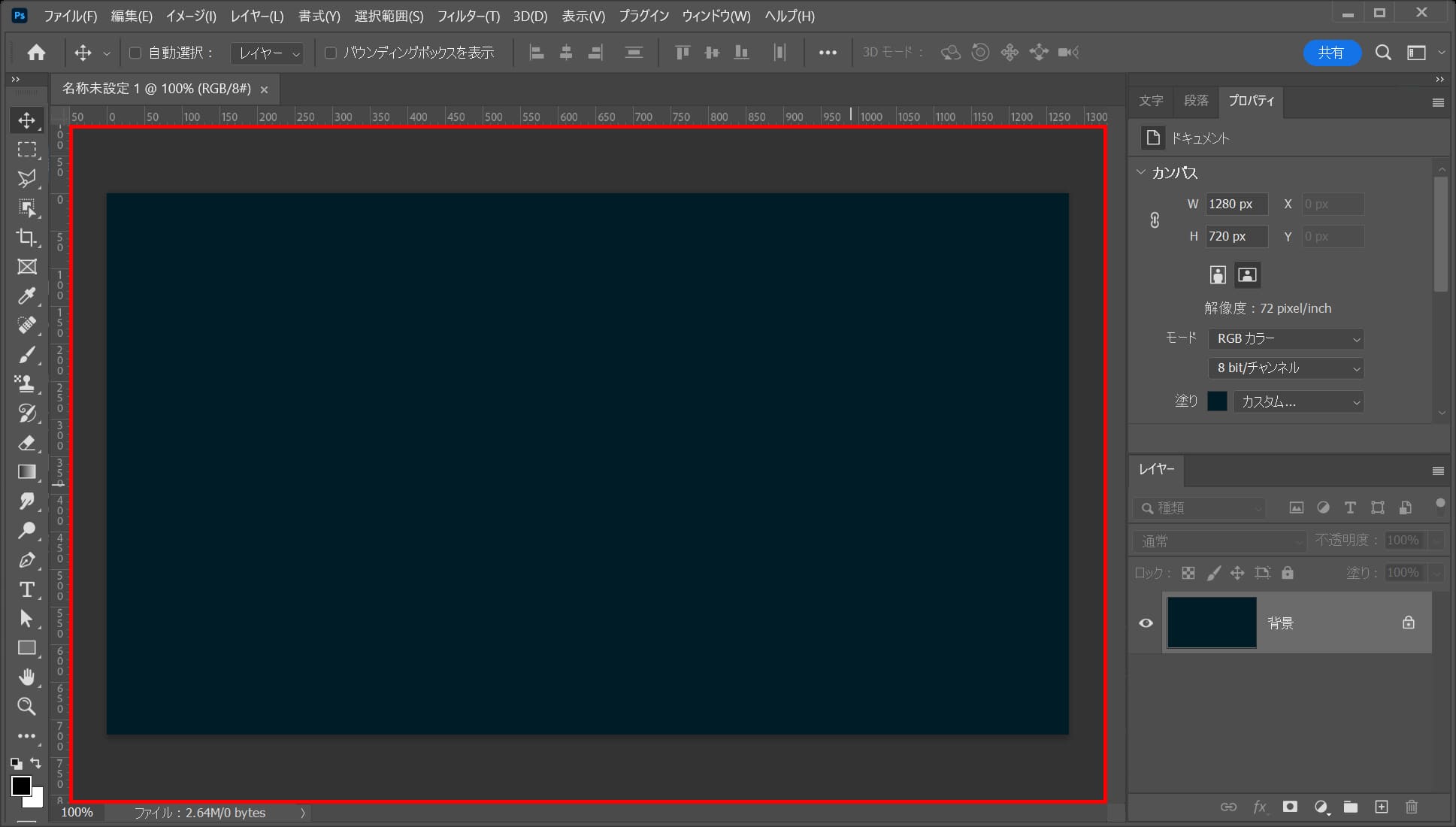
ワークスペース上でクリック!
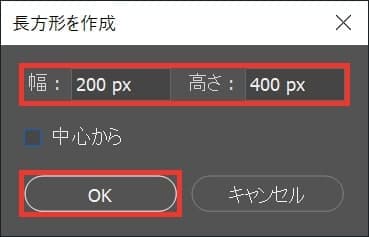
作りたい長方形のサイズを入力してOKを選択!

サイズ指定して長方形を作ることができたね!
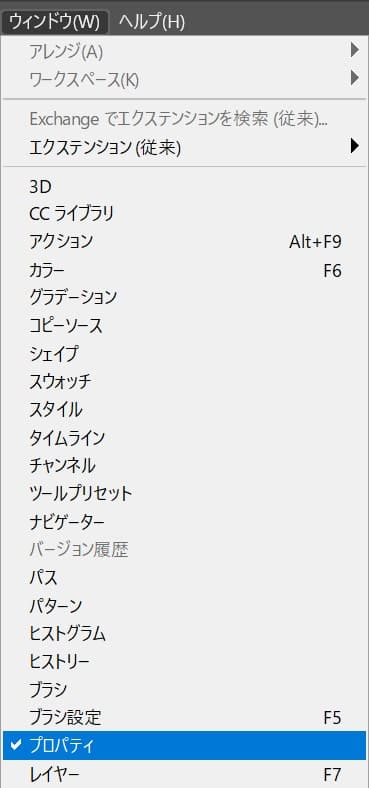
メニューバーの「ウィンドウ」から「プロパティ」を選択!
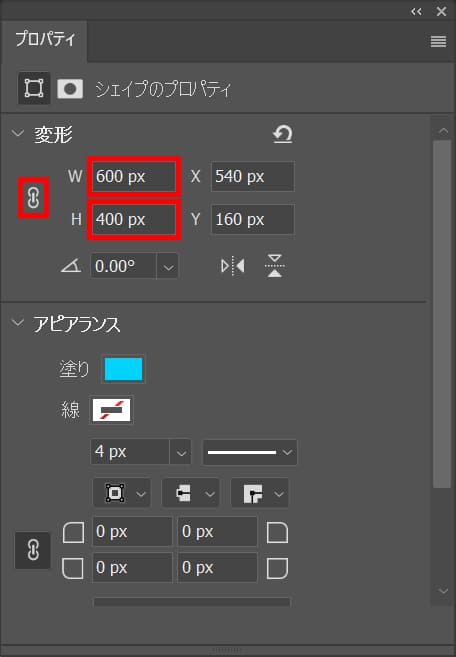
ここではW=「600px」H=「400px」としてOK!

作成済みの長方形のサイズを指定して変更することができたね
You can certainly see your enthusiasm in the paintings you write. The arena hopes for more passionate writers like you who are not afraid to mention how they believe. At all times follow your heart. “A simple fact that is hard to learn is that the time to save money is when you have some.” by Joe Moore.
https://kakek123daftar.online/
My programmer is trying to convince me to move to .net from PHP. I have always disliked the idea because of the expenses. But he’s tryiong none the less. I’ve been using Movable-type on various websites for about a year and am concerned about switching to another platform. I have heard great things about blogengine.net. Is there a way I can import all my wordpress content into it? Any kind of help would be greatly appreciated!
https://www.savesnopes.com/
There is clearly a lot to know about this. I think you made various nice points in features also.
https://youtu.be/YTpu1Zf0LSI