【Photoshop】ズームができない時の対処法【新人デザイナー向け】
Creative21
NexOut

Photoshopでレイヤーが複数選択できない。
レイヤーを複数選択するやり方が分からない。
こういった疑問に答えるよ!
デザイナーの@Naoyaです。
Youtube
目次


順番に見て行こう!

今回はこんな感じのレイヤーをまとめて選択するよ!
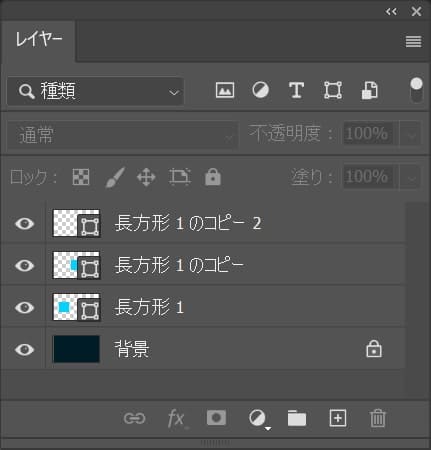
レイヤーはこんな感じ。
レイヤーが表示されていない場合はメニューバーの「ウィンドウ」→「レイヤー」を選択!
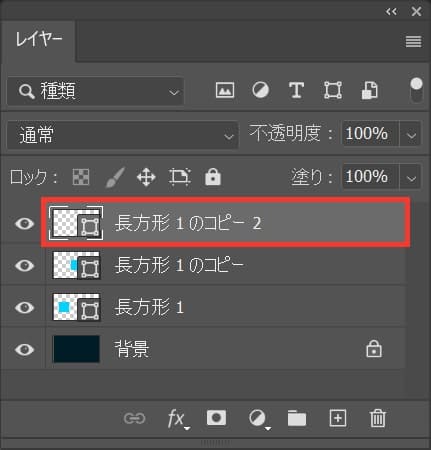
まずは一番上のレイヤーを選択!
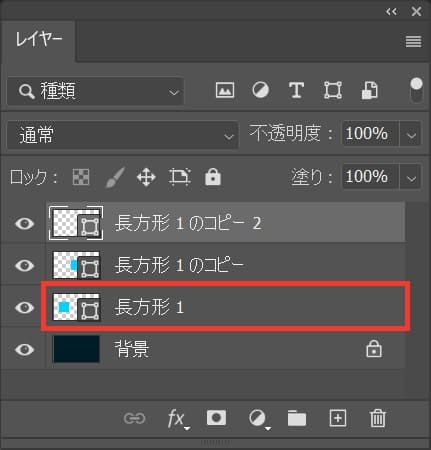
続いて、Shiftを押しながら複数選択をしたい最後のレイヤーをクリック!
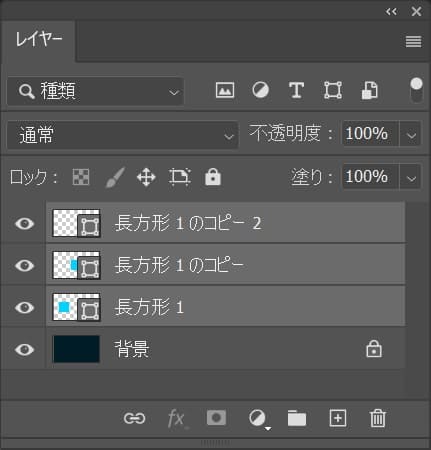
これで、まとめて複数選択することができたね!

今回はこんな感じのレイヤーを間隔を空けて複数選択するよ!
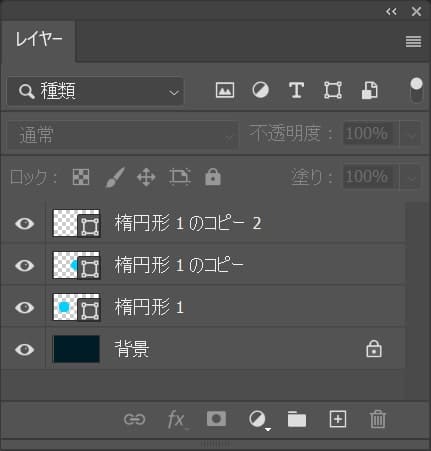
レイヤーはこんな感じ。
レイヤーが表示されていない場合はメニューバーの「ウィンドウ」→「レイヤー」を選択!
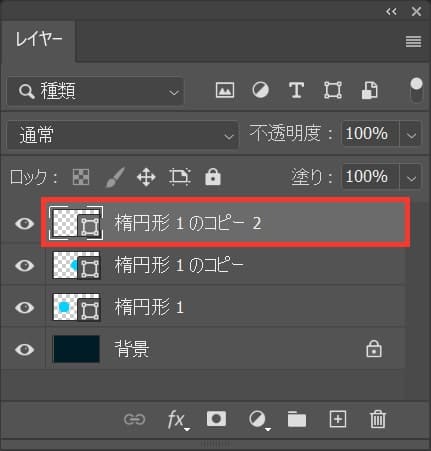
まずはレイヤーを選択!
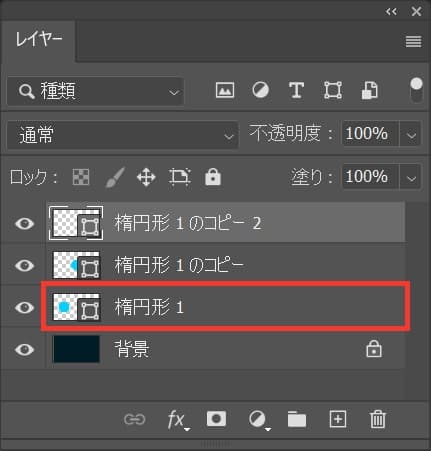
続いてOS毎の下記のコマンドを押しながらクリック!
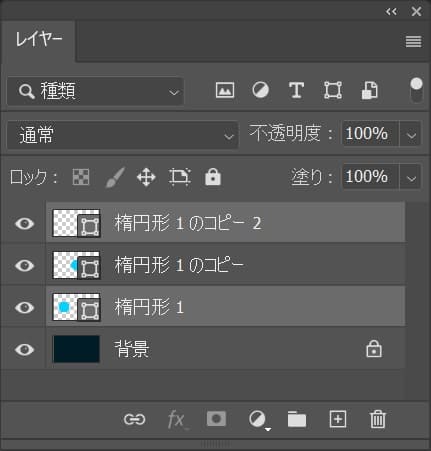
これで、間隔を空けて複数選択することができたね!


Hi my family member! I want to say that this article is amazing, nice written and include almost all important infos. I’d like to peer extra posts like this .
https://youtu.be/SNxi1ueuRtE
Thanks for sharing excellent informations. Your web site is so cool. I’m impressed by the details that you’ve on this blog. It reveals how nicely you perceive this subject. Bookmarked this web page, will come back for extra articles. You, my pal, ROCK! I found simply the information I already searched all over the place and simply couldn’t come across. What a great site.
https://youtu.be/L7fndZ6yjHA
Thanx for the effort, keep up the good work Great work, I am going to start a small Blog Engine course work using your site I hope you enjoy blogging with the popular BlogEngine.net.Thethoughts you express are really awesome. Hope you will right some more posts.
https://www.gestorias.pro/gestorias/
https://t.me/s/leon_casino_play
Sweet blog! I found it while surfing around on Yahoo News. Do you have any suggestions on how to get listed in Yahoo News? I’ve been trying for a while but I never seem to get there! Appreciate it
https://adtheband2.com/