【Photoshop】背景からレイヤーにできない時の対処法【新人デザイナー向け】
Creative21
NexOut
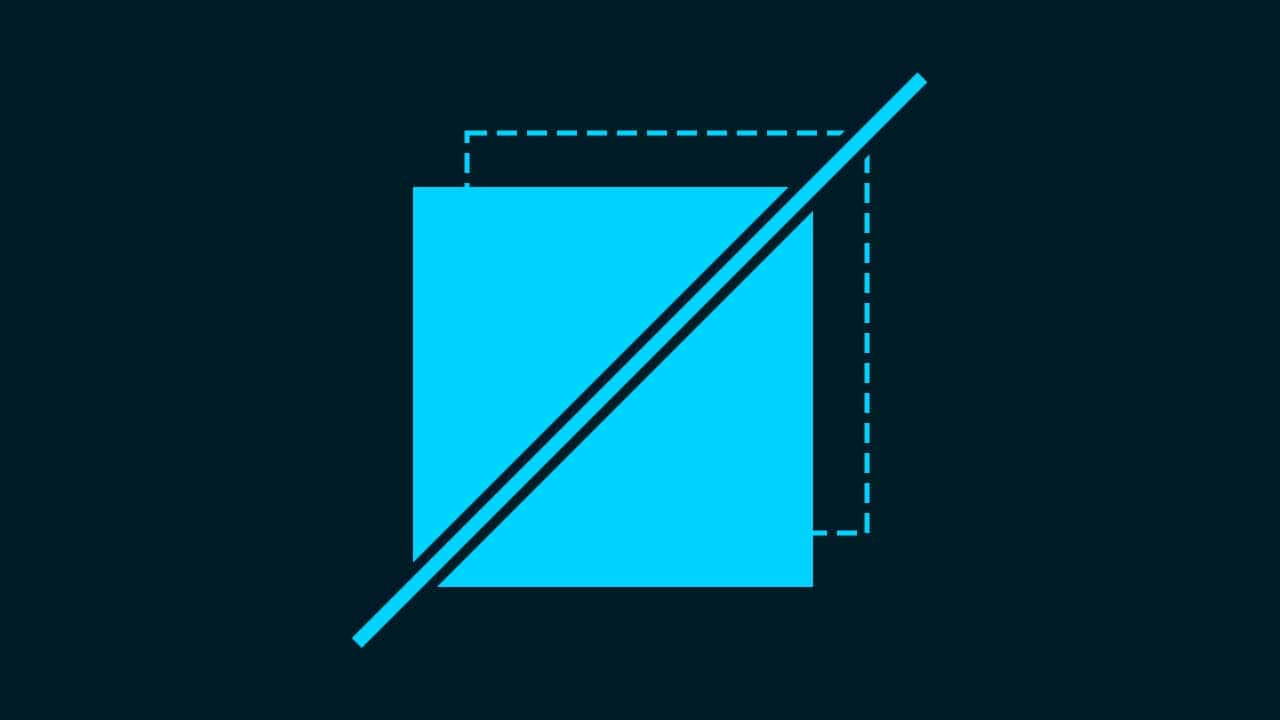
Photoshopで同じ位置にペーストができない。
同じ位置にペーストしたいのに、位置がずれてしまう。
こういった疑問に答えるよ!
デザイナーの@Naoyaです。
Youtube
※動画概要欄に目次があります
目次


特殊ペーストの流れはこんな感じ。
順番に見て行こう!

ここではこのハートをコピーするよ!
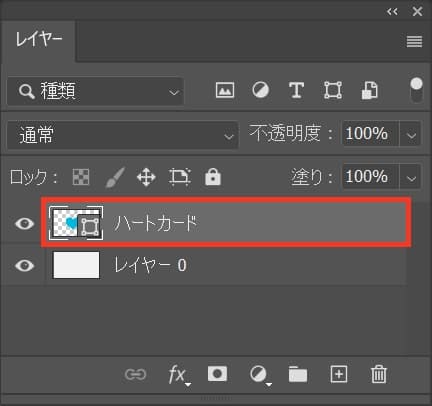
ハートのレイヤーを選択してコピー!
コピーのショートカット
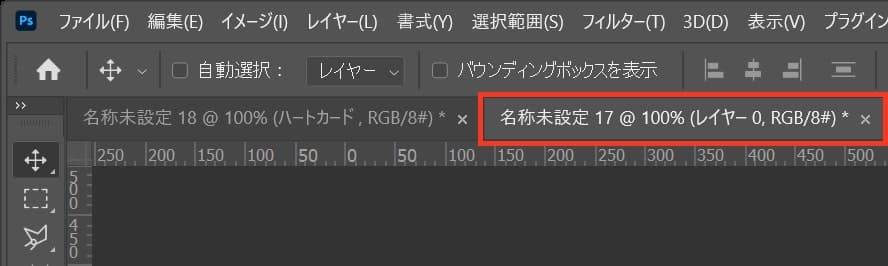
次にコピーしたレイヤーをペーストしたいドキュメントを選択するよ!

ここではこんな感じのドキュメントを選択したよ!
いよいよ、特殊ペーストをするよ!
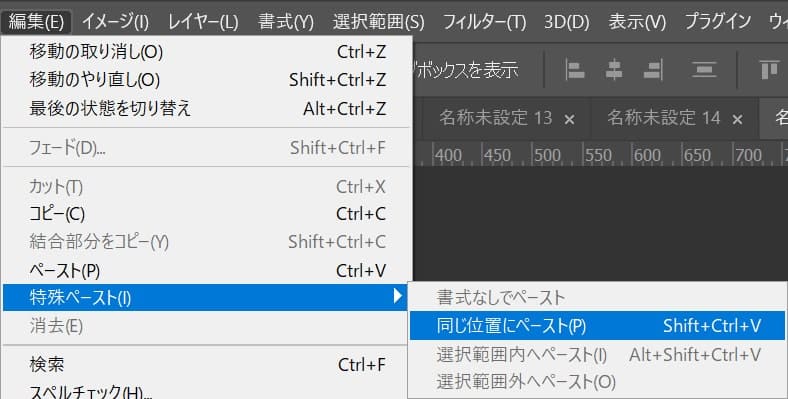
メニューバーの「編集」から「特殊ペースト」→「同じ位置にペースト」を選択!
同じ位置にペーストのショートカット

これで同じ位置にペースト完了!


Thanks , I have just been searching for info approximately this topic for a long time and yours is the greatest I’ve came upon so far. But, what about the bottom line? Are you positive in regards to the source?
https://youtu.be/AnXkHR-bOGY
Perfect work you have done, this internet site is really cool with good info .
https://youtu.be/nikbSZmtzz8
I’ve recently started a website, the info you provide on this web site has helped me greatly. Thanks for all of your time & work. “The very ink with which history is written is merely fluid prejudice.” by Mark Twain.
https://youtu.be/LJmeBvZr1ps
Merely wanna remark that you have a very nice web site, I like the style it really stands out.
https://youtu.be/oqq6V21nntQ
I simply could not leave your site prior to suggesting that I extremely enjoyed the standard information an individual provide for your visitors? Is going to be back continuously in order to check out new posts.
https://agen008.com/hello-world/
An interesting discussion is worth comment. I think that you should write more on this topic, it might not be a taboo subject but generally people are not enough to speak on such topics. To the next. Cheers
https://youtu.be/zDvo9MqvCE8